

Adform DSP Reports
This data source connector retrieves Buy-Side report data from the Reporting Stats API. It may be used to retrieve similar data as via the MasterData source connector if the Master Data service is not enabled in your account.
Reporting Stats API returns report data consisting of statistics derived from the data collected by the Adform tracking code. Each report is organized as dimensions and metrics. Metrics are the individual measurements of user activity on your property, such as impressions, clicks, and conversions. Dimensions break down metrics across some common criteria, such as campaign or line item. When you build a query, you specify which dimensions and metrics you want in your report data.
Before You Start
Section titled “Before You Start”First you must register a client application using the Credentials flow authentication. To register the application, follow the steps described in Adform’s official documentation.
Contact Adform API support (technical@adform.com) and provide the following information:
- Short description of your application (Adform’s API use case):
Retrieve Buy-Side report data from the Reporting Stats API - Authorization flow:
client credentials - List of needed scopes for application:
https://api.adform.com/scope/buyer.stats
You will then receive your client secret and client ID. They will be used for the authentication.
Configuration
Section titled “Configuration”Create a new configuration of the Adform DSP Reports connector.
First insert the API client secret and API client ID that you obtained from Adform (Adform client credentials for a registered
app with the Client credentials flow enabled).
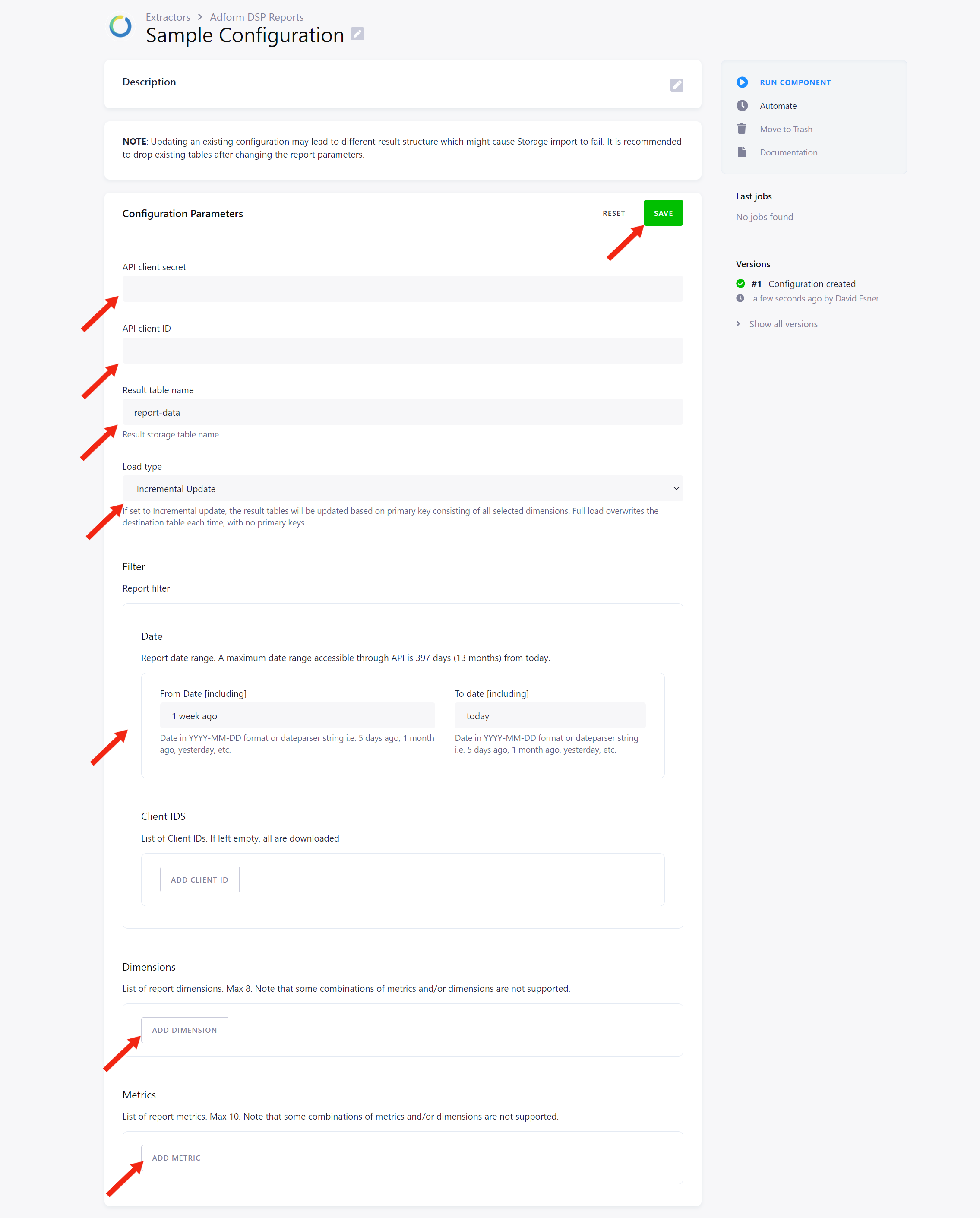
Then name the result table. It is the name of the Storage table where the result report data will be stored. The default is
report-data.
Load Type
Section titled “Load Type”Select a load type. If set to Incremental Update, the result tables will be updated based on primary key consisting of all selected dimensions. Full Load overwrites the destination table each time, with no primary keys.
Report Filter
Section titled “Report Filter”Continue by setting up the report filter.
- Date – report date range boundaries. The maximum date range accessible through API is 397 days (13 months) from today.
- Client IDs – optional list of client IDs to retrieve. If left empty, data for all available clients will be retrieved.
Dimensions
Section titled “Dimensions”Then select your report dimensions from the provided list. For a full list of dimensions and their descriptions, refer here. The list can be also retrieved using this API call.
Metrics
Section titled “Metrics”And finally, select your desired report metrics from the provided list. You are allowed to have ten metrics at maximum. Each metric
definition consists of a metric name and additional filtering possibilities (Specs Metadata) for individual metric. If no value
is specified in the Specs Metadata, the default metric is used.
For a full list of available metrics and specs, see here. It can be also retrieved using this API call.