

Azure Storage Table
The Azure Storage Table data source connector allows you to fetch data from the
If you want to use
- the Cosmos DB Mongo DB API, use the MongoDB data source connector.
- the Cosmos DB SQL API, use the CosmosDB data source connector.
Configuration
Section titled “Configuration”Create a new configuration of the Azure Storage Table connector.
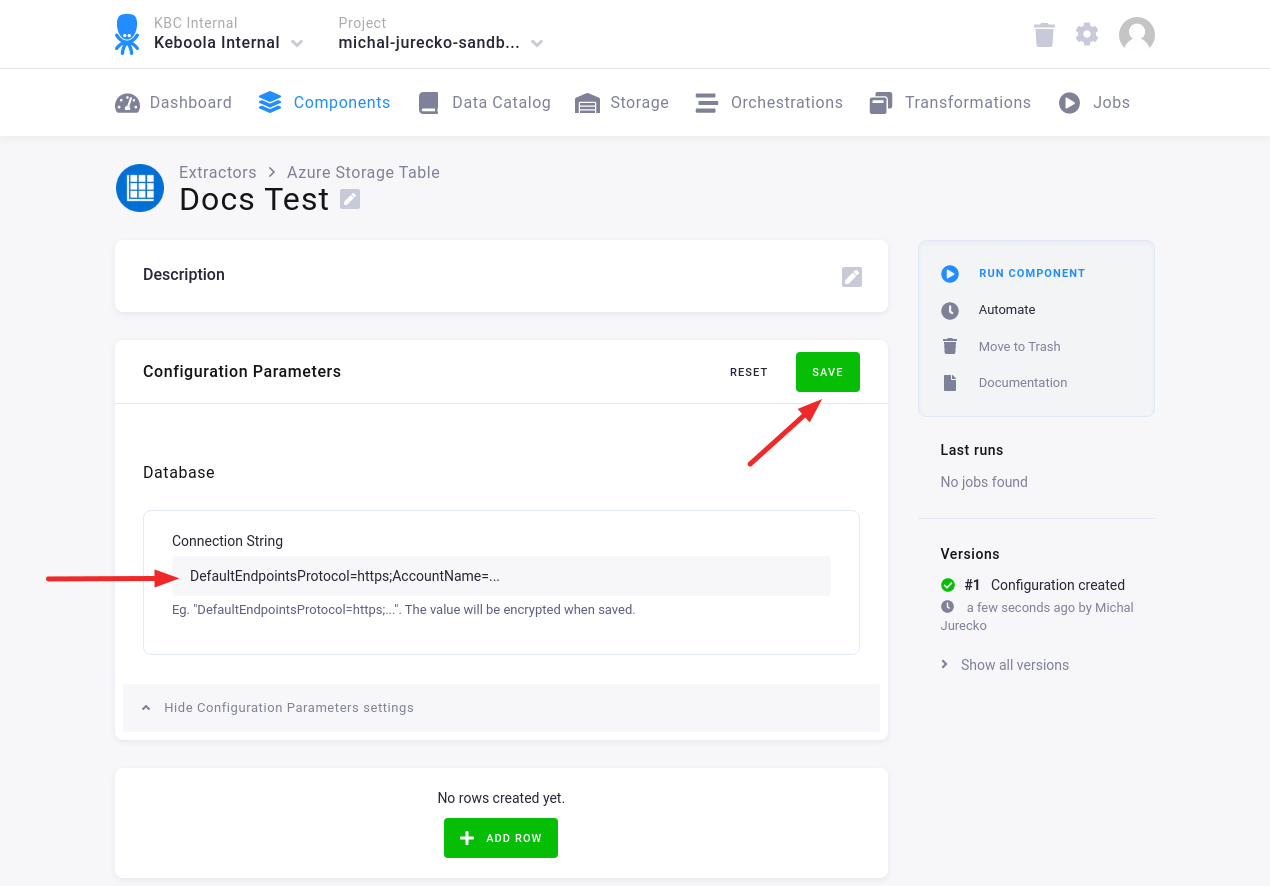
Fill in the Connection String. Then click Save.
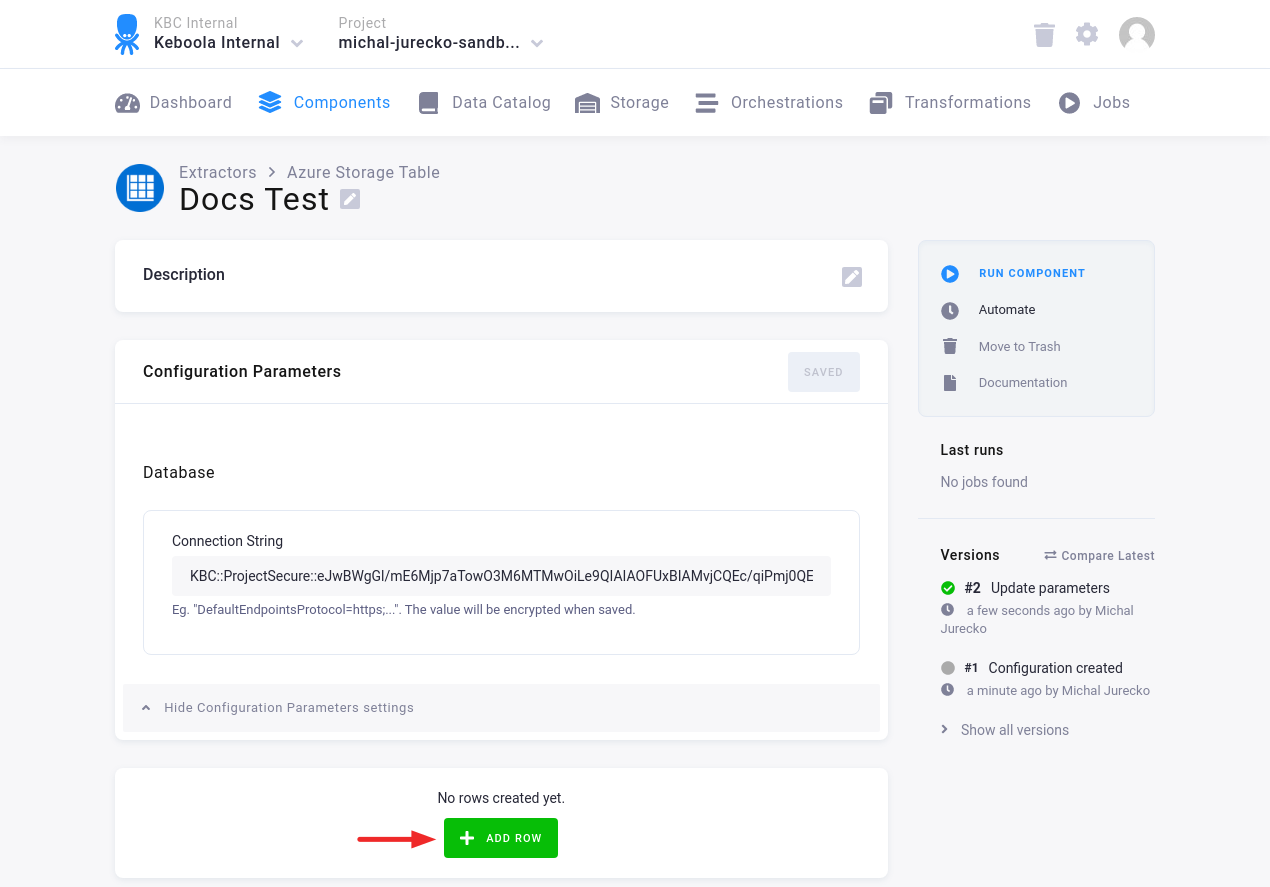
Click Add Row to add one or more configuration rows.
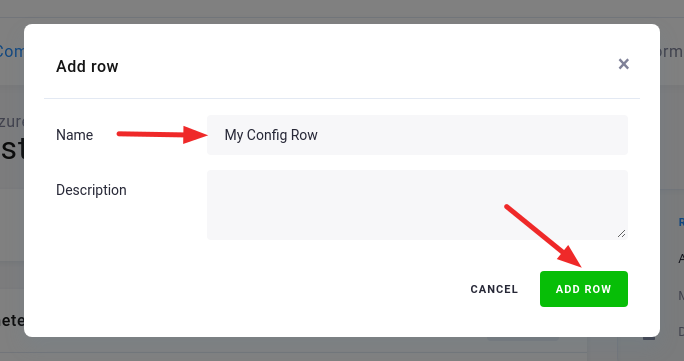
Fill in the Name, and, optionally, the Description. Then click Add Row.
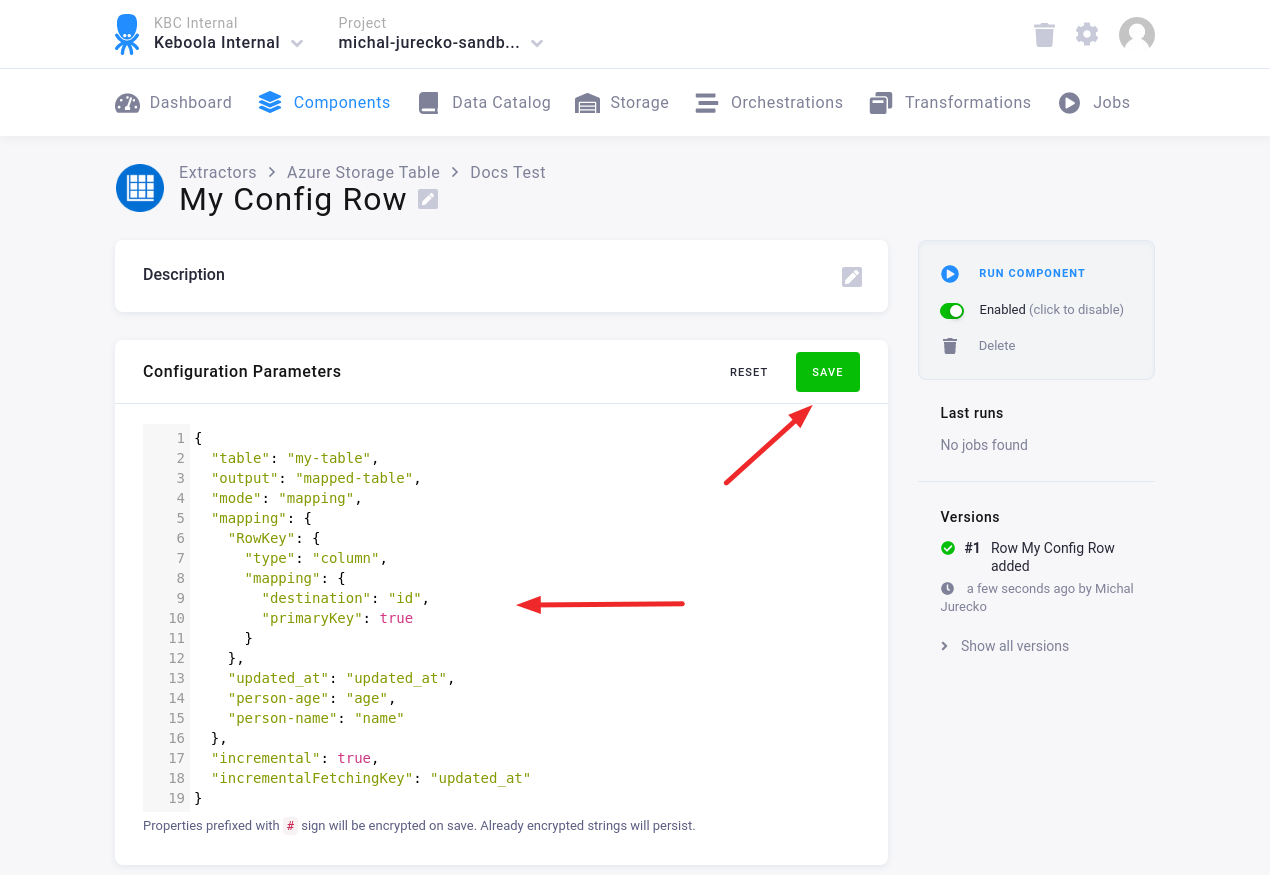
In the Configuration Row, fill in the Configuration Parameters. Then click Save.
Configuration Parameters
Section titled “Configuration Parameters”table: string (required); the name of the input table in the Table storageoutput: string (required); the name of the output CSV filemaxTries: integer (optional); the max number of retries if an error occurs; the default is5incremental: boolean (optional); enables Incremental Loading; the default isfalseincrementalFetchingKey: string (optional); the name of the key for incremental fetchingmode: enum (optional)mapping(default)- Row is exported using specified
mapping.
- Row is exported using specified
raw- Row is exported as plain JSON strings.
- Table will contain
PartitionKey,RowKeyanddatacolumns.
mapping: string; required formode=mapping- It is used to map the row to one or more tables.
- The same format is used as in the MongoDB - configure-mapping.
- See examples in the MongoDB - Mapping Examples.
- For the details see the keboola/php-csvmap library.
By default, the data source connector exports all rows and columns. It can be adjusted using the following settings:
select: string (optional); e.g.,PartitionKey, RowKey, Name, Age- For
rawmode,PartitionKeyandRowKeyfields must be present in the query results.
- For
limit: integer (optional); the maximum number of exported rows; e.g.,500filter: string (optional); OData query $filter; e.g.,RowKey ge '2' and age gt 17
Examples
Section titled “Examples”Raw mode — full load:
{ "table": "my-table", "output": "output-table", "mode": "raw"}Mapping mode — full load:
{ "table": "my-table", "output": "output-table", "mode": "mapping", "mapping": { "RowKey": { "type": "column", "mapping": { "destination": "rowKey", "primaryKey": true } }, "updated_at": "updated_at", "business_name": "name", "result": "result" }}Raw mode — incremental load:
{ "table": "my-table", "output": "output-table", "mode": "raw", "incremental": true, "incrementalFetchingKey": "updated_at"}Mapping mode — incremental load:
{ "table": "my-table", "output": "output-table", "mode": "mapping", "mapping": { "RowKey": { "type": "column", "mapping": { "destination": "rowKey", "primaryKey": true } }, "updated_at": "updated_at", "business_name": "name", "result": "result" }, "incremental": true, "incrementalFetchingKey": "updated_at"}Raw mode — custom filter:
{ "table": "my-table", "output": "output-table", "mode": "raw", "filter": "RowKey ge '2' and age gt 17"}