

FileMaker
FileMaker is a cross-platform relational database application from Claris International.
This component extracts layout data from FileMaker relational databases using the FileMaker Data API.
Configuration
Section titled “Configuration”Create a new configuration of the FileMaker data source connector.
Prepare the FileMaker Database
Section titled “Prepare the FileMaker Database”- Configure your database for FileMaker Data API access by creating specific layouts.
- Obtain FileMaker Data API credentials, including the host URL, username, and password.
Authorization Setup
Section titled “Authorization Setup”Fill in the required authorization parameters:
- Host URL of the FileMaker server (
base_url, required) – The FileMaker server host URL. - User Name (
username, required) – The username for authentication. - Password (
#password, required) – The corresponding password. - Verify SSL certificate (
ssl_verify, optional) – Set tofalseto disable SSL (https) certificate verification. Use with caution.
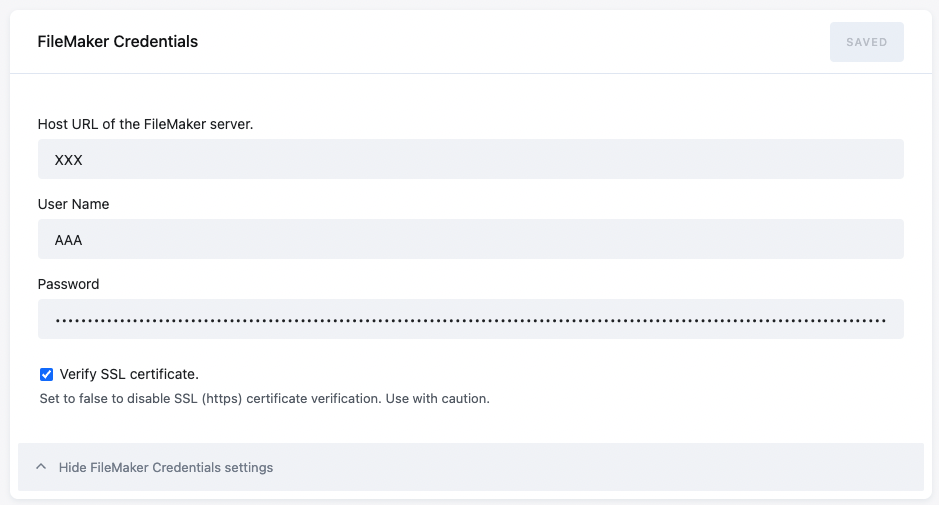
Save the configuration and click Add Row to create a new row configuration.
Row Configuration
Section titled “Row Configuration”Define the object type to extract and configure storage syncing options.
Object type
Section titled “Object type”Metadata
Section titled “Metadata”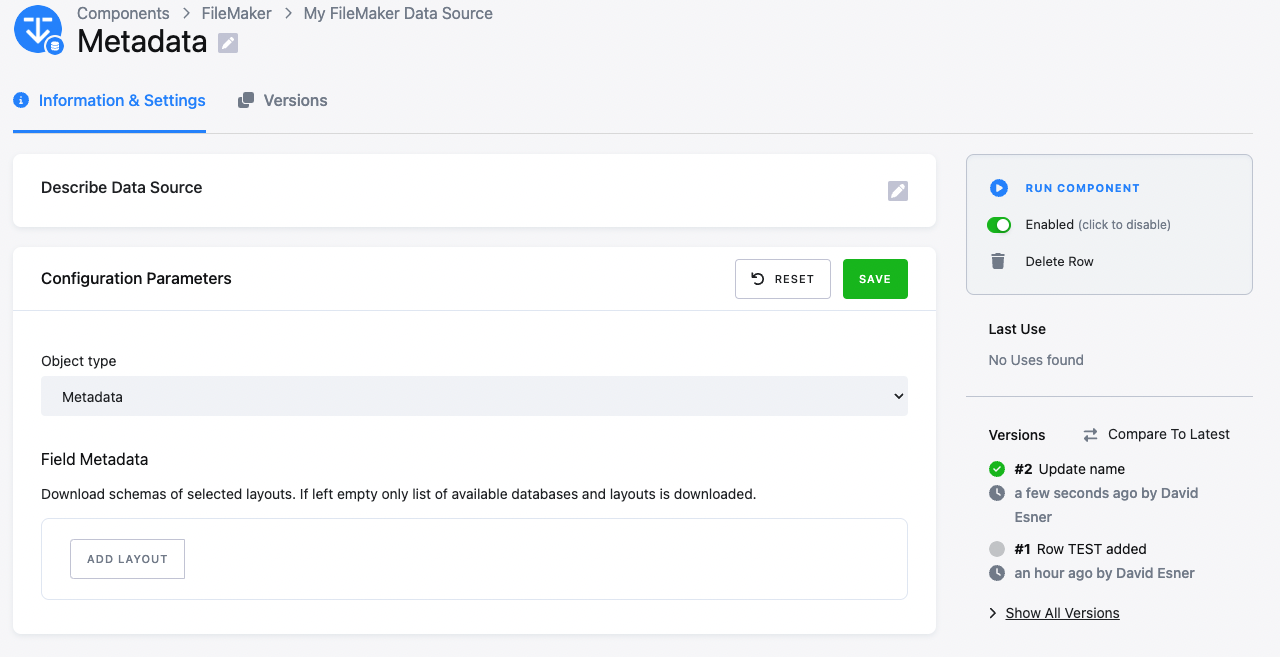
Download schemas of selected layouts. Provide a list of Database and Layout names to retrieve metadata.
Layout
Section titled “Layout”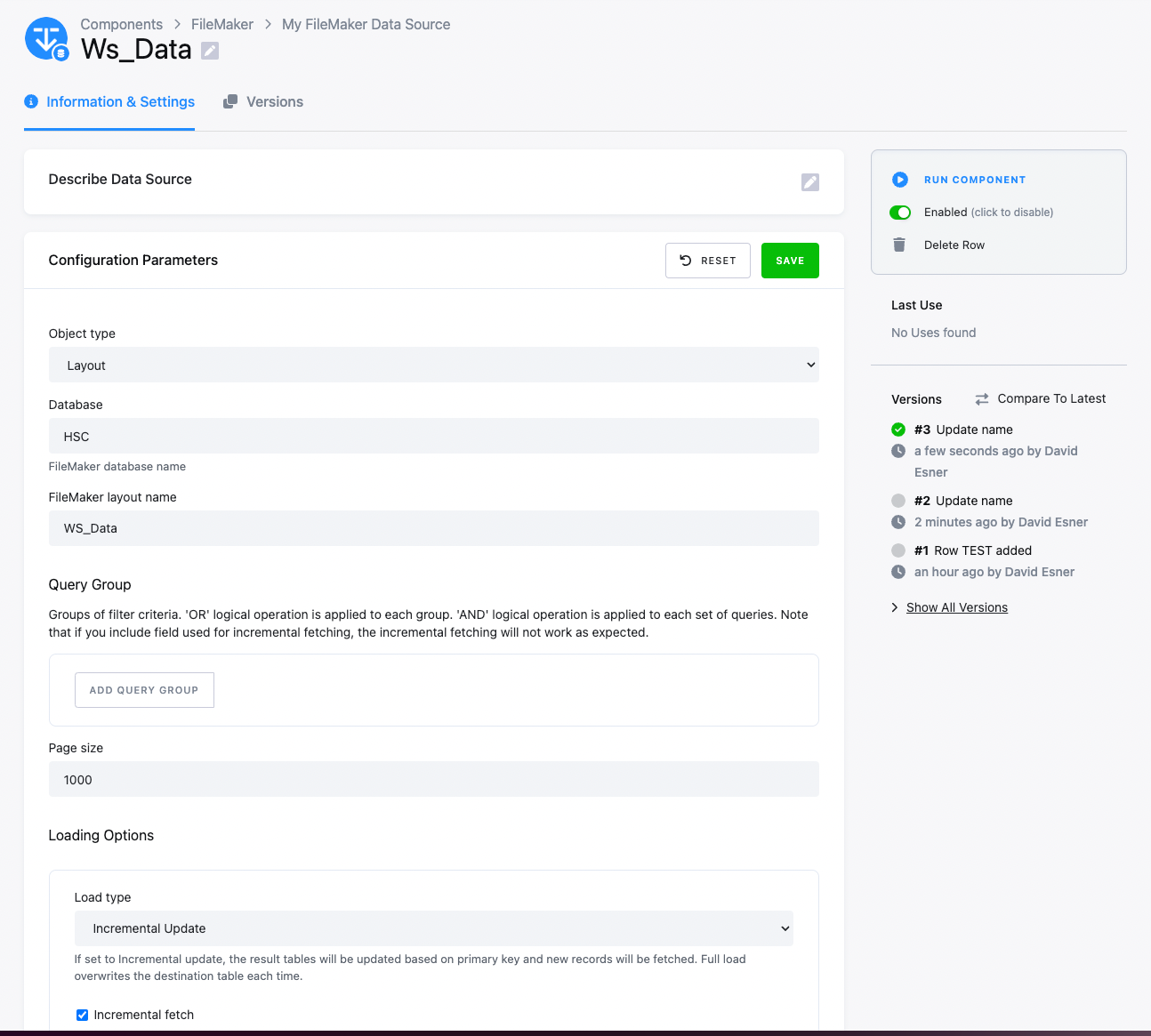
Download data from a specific layout with a specified query.
Parameters
Section titled “Parameters”- Database (
database, optional) – The name of the FileMaker database. - FileMaker layout name (
layout_name, optional) – The name of the layout. - Query Group (
query, optional) – Groups of filter criteria.- The logical ‘OR’ operation is applied between groups.
- The logical ‘AND’ operation is applied within a set of queries.
- Note: If you include a field used for incremental fetching, the incremental fetching may not work as expected.
- For more details on the syntax, see the FileMaker documentation.
- Load Type (
incremental) – Defines how the result is stored in Keboola Storage:- Full load – Overwrites data in the destination on each run.
- Incremental Update – Upserts data in the destination on each run.
- Primary key (
pkey) – List of primary key columns, if available. Required for incremental load. - Incremental fetching (
incremental_fetch) – Iftrue, only records with values >= to the last incremental field value will be retrieved in consecutive runs. - Incremental fields (
incremental_fields) – List of columns used for incremental fetching. If multiple specified, an AND relation is applied. - Page size (
page_size, optional) – The number of records retrieved per API call. Note: A large page size may impact performance on the destination database.
Output
Section titled “Output”Metadata Tables
Section titled “Metadata Tables”layouts
Section titled “layouts”- List of available layouts.
Columns: [table, layout_name, parent_layout_name]
layout_fields_metadata
Section titled “layout_fields_metadata”- Schema and metadata describing a specific layout.
columns: [ displayType,
repetitionEnd,
numeric,
maxCharacters,
maxRepeat,
fourDigitYear,
layout_name,
database_name,
type,
repetitionStart,
autoEnter,
name,
global,
result,
notEmpty,
timeOfDay]
Layouts Tables
Section titled “Layouts Tables”Layout data is extracted based on the query definition provided.